
Why a video won't download on Mac, and what to do
Most downloads that fail in KC have one of a few causes. Find yours below: each one says what to check and what to do.
Try KC for Mac freeNo registration needed for the installer. Apple Silicon, macOS 12 or later. Adults 18+ only. This guide covers KC 1.0.
Quick answer
Check four things first: you are signed in, you have downloads left today, the site has not asked you to sign in or confirm your age, and the video is not a live stream. If all four are fine, the site may not offer a downloadable stream for that video.
What success looks like: the video moves from Downloading to Completed in your Library and plays while your Mac is offline.
You are not signed in

- The account at the bottom of the sidebar. When you are signed out it reads Sign in to KC; click it and choose Sign in or sign up.
Downloads need a free KC account (during its 7-day trial) or a membership; browsing and watching do not. If you select Download while signed out, KC asks you to sign in. Choose Later to keep browsing.
No downloads left today
During its 7-day trial, a free account downloads 5 videos a day; after that, downloads need a membership. Signed in, the account at the bottom of the sidebar shows how many downloads are left today, or that you are a member.
The site wants a sign-in or age check
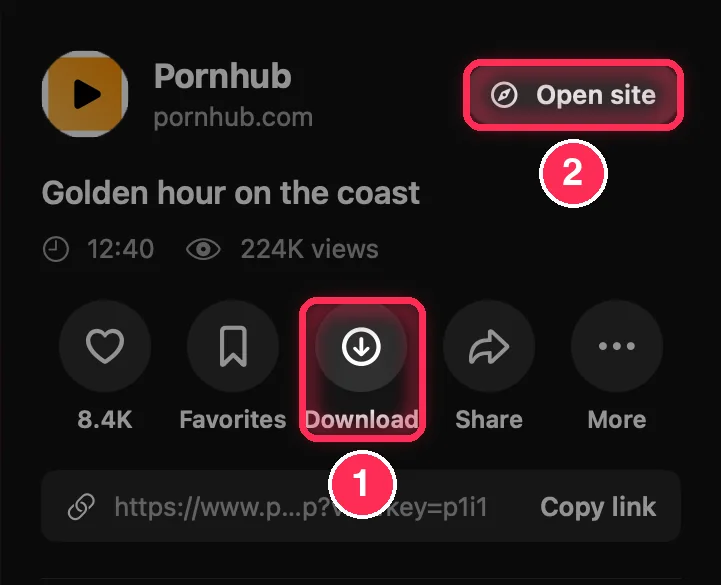
- Download. Select it again once the site lets you in.
- Open site. Some sites only hand over a video after you sign in or confirm your age on their own page. Do it there, then come back and try again.
Sites keep their own terms, sign-in and age checks; KC never answers them for you.
It is a live stream
Live streams can be watched in KC but not saved. The live-cam sites carry a LIVE badge in the sidebar.
The site offers no downloadable stream
Whether a video can be saved depends on the site and the video: some pages offer no downloadable stream at all. Try the video's page in the built-in browser (next step). If KC finds nothing there either, that video cannot be saved.
Nothing is found on a web page
In the built-in browser, Download video in the toolbar turns red and shows a count once KC finds a video. If it stays grey:
- Start playing the video on the page.
- Sign in on the page if the site asks; some sites only show their videos after you sign in.
- Select Download video and choose the video that belongs to the page in the Page videos window.
The guide Save a video from a website shows every step.
The download is waiting or paused
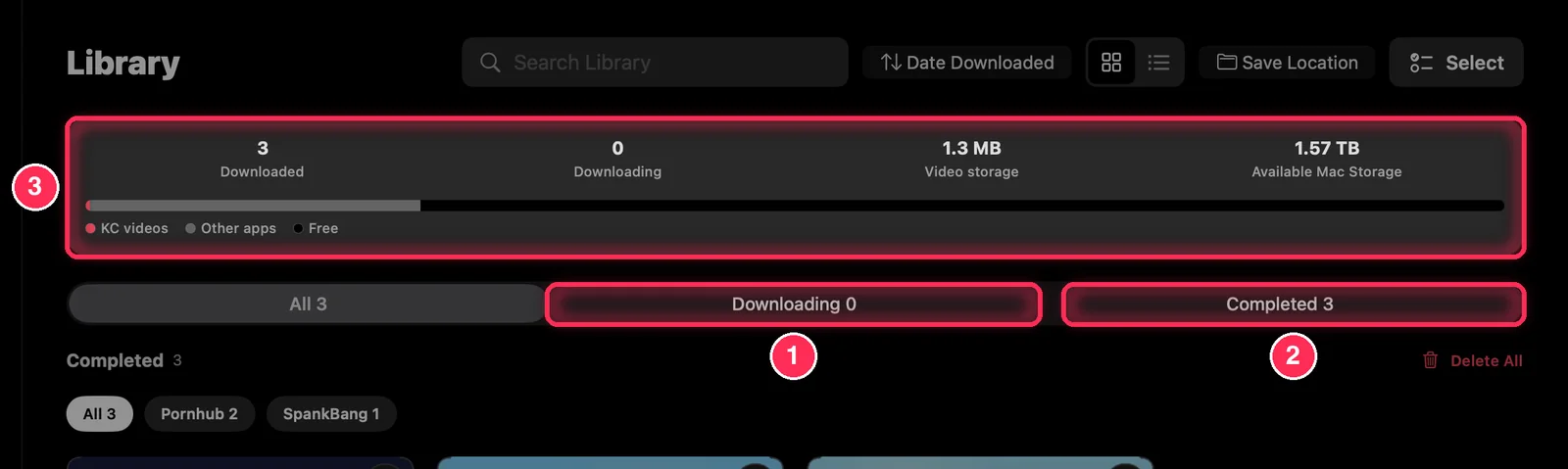
- Downloading lists the videos still on their way, each with its percentage, speed and time left. Resume a paused one here, or use Resume all.
- Completed lists the saved videos.
- The summary, including the space left on your Mac.
KC downloads two videos at a time; the others wait their turn. If you turned on Wi‑Fi only under Download settings in Settings, check that your Mac is on Wi‑Fi.
Your Mac is short of space
Videos need free disk space. The summary at the top of the Library shows the space your videos use and the space left on your Mac. Delete videos you no longer need, or choose another Save Location at the top of the Library (or in Settings).
The quality you want is not offered
KC offers the qualities the site has. When there is only one, the download starts at once without asking. Higher quality means a larger file.
Still stuck?
Select Contact support at the top of this page to reach us on WhatsApp or by email. Tell us the site and what KC showed.
Common questions
Does a failed download use one of my 5 a day?
No. Only saved videos count; failed downloads and unfinished downloads you delete do not.
Why can I watch a video but not save it?
Some sites and videos can be played but offer no downloadable stream, and live streams can be watched but not saved.
Do saved videos need an account to play?
No. During the trial or a membership, saved videos play signed in or not, and they stay on your Mac after the trial ends.