KC for Mac and iPhone · Adults 18+

Your favorite sites, on Mac and iPhone.

Pick the adult video and live-streaming sites you like, browse their latest videos, watch them and keep the videos you are allowed to save in your own video library: in the Mac app, or on iPhone with the KC web app.

Apple Silicon Mac · macOS 12+ · Apple notarized · iPhone web app in Safari · Adults 18+ only Free trial on Mac: 24 hours without an account, or 7 days with a free KC account (5 downloads a day). Members download without limits.

  • 25 sites built inPlus up to 100 websites of your own
  • A desktop playerUp to 1080p and Picture in Picture
  • Saved on your MacWatch offline, nothing uploaded
  • Apple notarizedSigned, free to try, adults 18+

Your platforms

Add the platforms you like.

KC comes with 25 adult video and live-streaming sites. They always stay on your home page, and you can add up to 100 websites of your own beside them, such as the 9 more popular sites below. Try it here: the preview changes as you click.

Platform library

Adult video sites 16

  • Pornhubpornhub.comAlways on Home
  • XVideosxvideos.comAlways on Home
  • XNXXxnxx.comAlways on Home
  • SpankBangspankbang.comAlways on Home
  • Epornereporner.comAlways on Home
  • EroMeerome.comAlways on Home
  • YouPornyouporn.comAlways on Home
  • RedGIFsredgifs.comAlways on Home
  • FapHousefaphouse.comAlways on Home
  • Beegbeeg.comAlways on Home
  • RedTuberedtube.comAlways on Home
  • YouJizzyoujizz.comAlways on Home
  • TNAFlixtnaflix.comAlways on Home
  • Thumbzillathumbzilla.comAlways on Home
  • EMPFlixempflix.comAlways on Home
  • OnlyFansonlyfans.comOn the Platforms page only

Adult live-streaming sites 9 LIVE

  • Chaturbatechaturbate.comAlways on Home
  • Stripchatstripchat.comAlways on Home
  • xHamsterLivexhamsterlive.comAlways on Home
  • LiveJasminlivejasmin.comAlways on Home
  • CamSodacamsoda.comAlways on Home
  • CAM4cam4.comAlways on Home
  • ImLiveimlive.comAlways on Home
  • Flirt4Freeflirt4free.comAlways on Home
  • Camstercamster.comAlways on Home

More popular sites 9

With 20 of the 25 above, these are 29 of the 30 most visited adult sites (Similarweb, September 2026). In KC, add any of them with Add website and it opens inside the app like the built-in sites.

  • FANZAdmm.co.jp
  • DLsitedlsite.com
  • PornOnepornone.com
  • BongaCamsbongacams.com
  • Fanslyfansly.com
  • Clips4Saleclips4sale.com
  • MyFreeCamsmyfreecams.com
  • ManyVidsmanyvids.com
  • Brazzersbrazzers.com

Your websites up to 100

In KC, add any public website by its address, up to 100. It gets a card on the Platforms page and a place on your home page.

    Your home page in KC

    Video sites 15

    1. Pornhub
    2. XVideos
    3. XNXX
    4. SpankBang
    5. Eporner
    6. EroMe
    7. YouPorn
    8. RedGIFs
    9. FapHouse
    10. Beeg
    11. RedTube
    12. YouJizz
    13. TNAFlix
    14. Thumbzilla
    15. EMPFlix
    16. Add

    Live streaming 9

    1. Chaturbate
    2. Stripchat
    3. xHamsterLive
    4. LiveJasmin
    5. CamSoda
    6. CAM4
    7. ImLive
    8. Flirt4Free
    9. Camster
    10. Add

    Home shows every built-in site in its row, plus up to ten of your own websites. The rest of yours are in the + menu.

    • Add

      Click + on the home page, or beside Home platforms in the sidebar, to add a website, bring one of yours to the front or put back one you removed.

    • Remove

      Built-in sites always stay on Home. To take off a website you added, point at it in the sidebar and click the minus button, or right-click it. It waits under Removed platforms, ready to put back or delete.

    • Rearrange

      Drag circles on Home or cards on the Platforms page to change the order. Right-click a website you added to move it between the video and live-streaming rows.

    How it works

    Three steps, from a site to your video library.

    Real screens from KC 1.0 on a Mac. Video titles and pictures are samples.

    KC 1.0 on a Mac, shown with sample content.
    1. Pick your sites

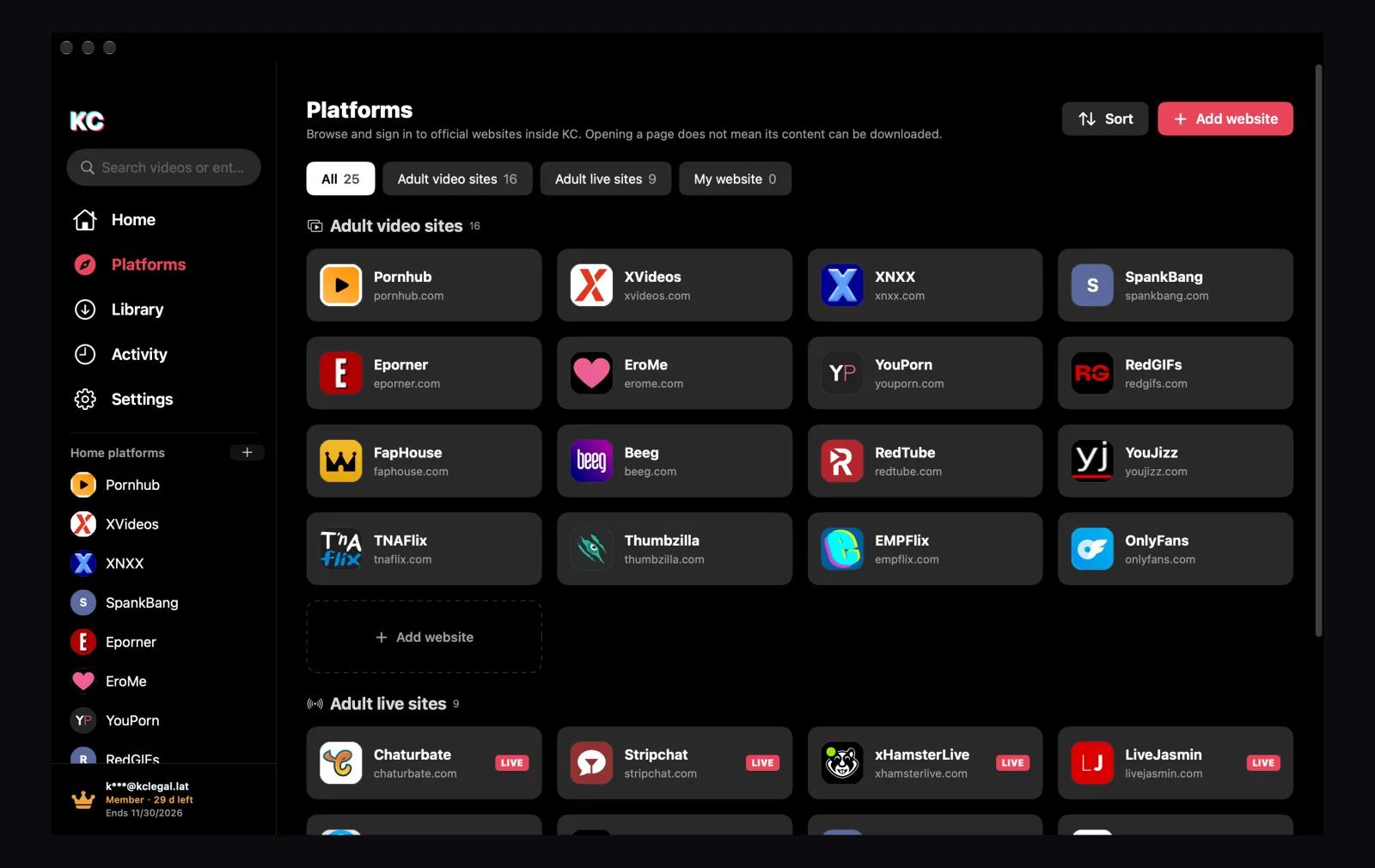
      On the Platforms page you see every built-in site and every website you add. Sign in to a site the way you would in Safari.

      • 25 sites built in, up to 100 of your own
      • Built-in sites stay on Home; remove or move your own websites
      • Drag cards to change the order
      The KC Platforms page: video and live-streaming site cards, Sort and Add website
    2. Browse and watch

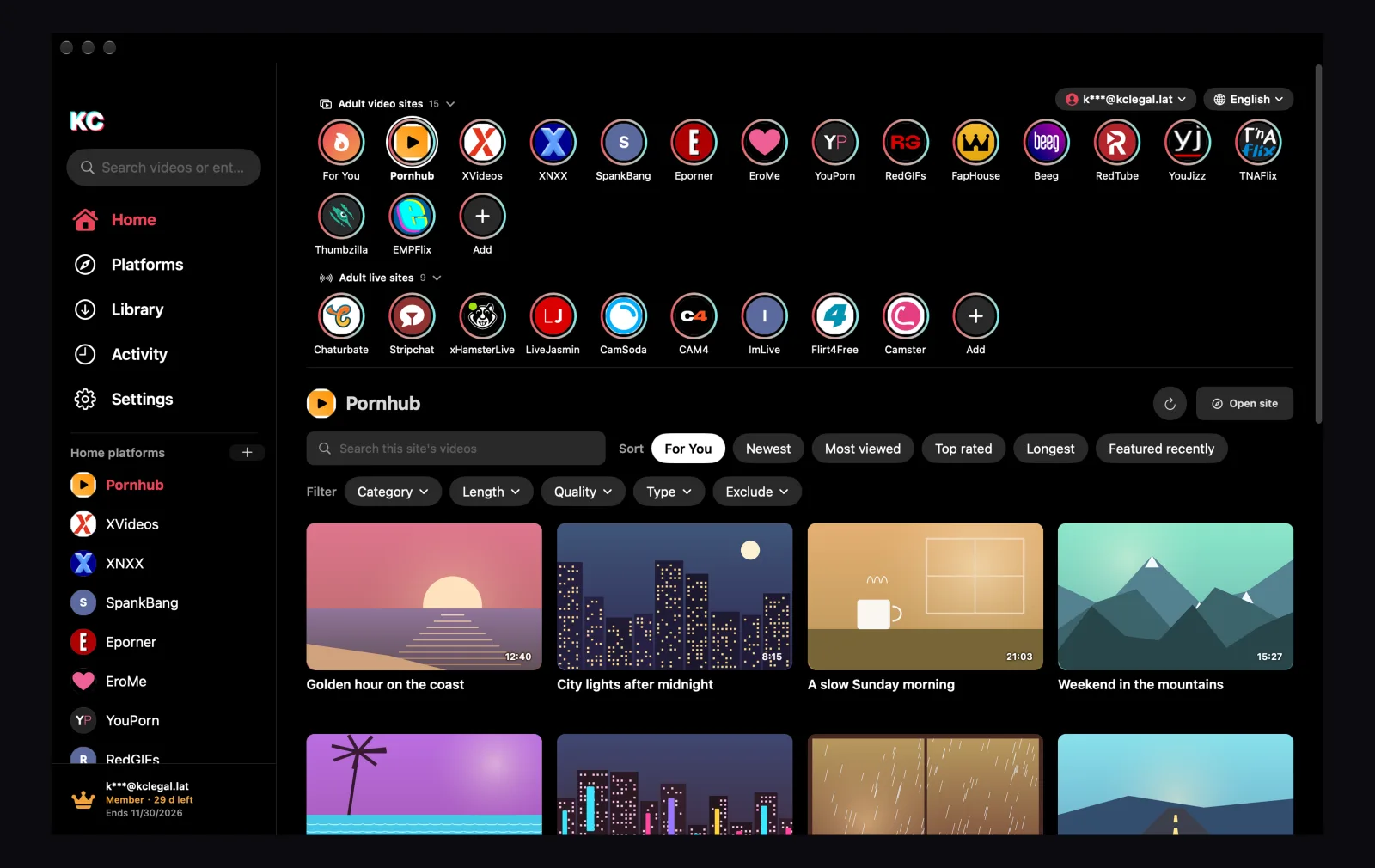
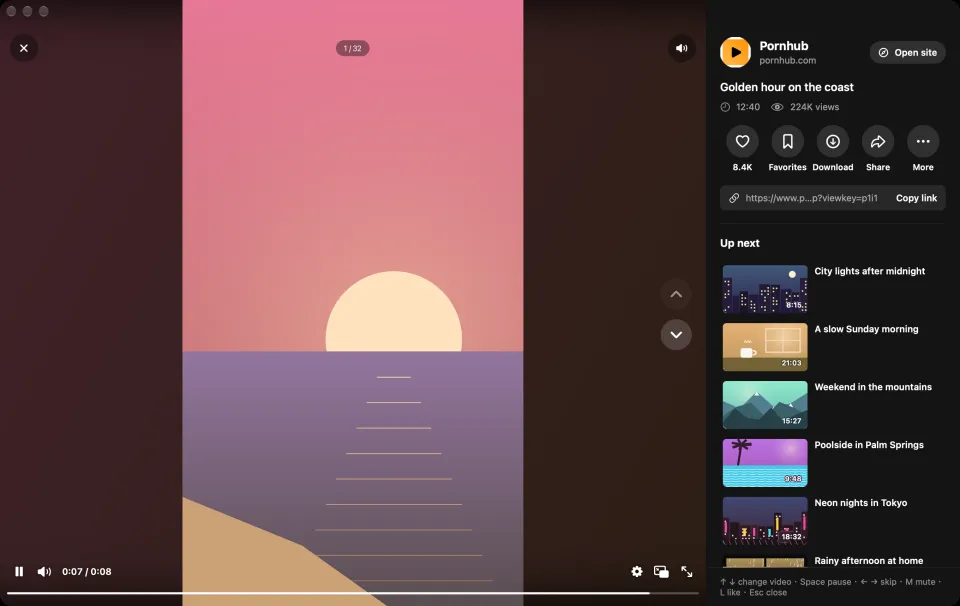
      Pick a site on your home page or in the sidebar to see its latest videos. Search, sort and filter them, then watch in a full-window player.

      • Sort with each site's own options, such as Newest, Most viewed or Top rated
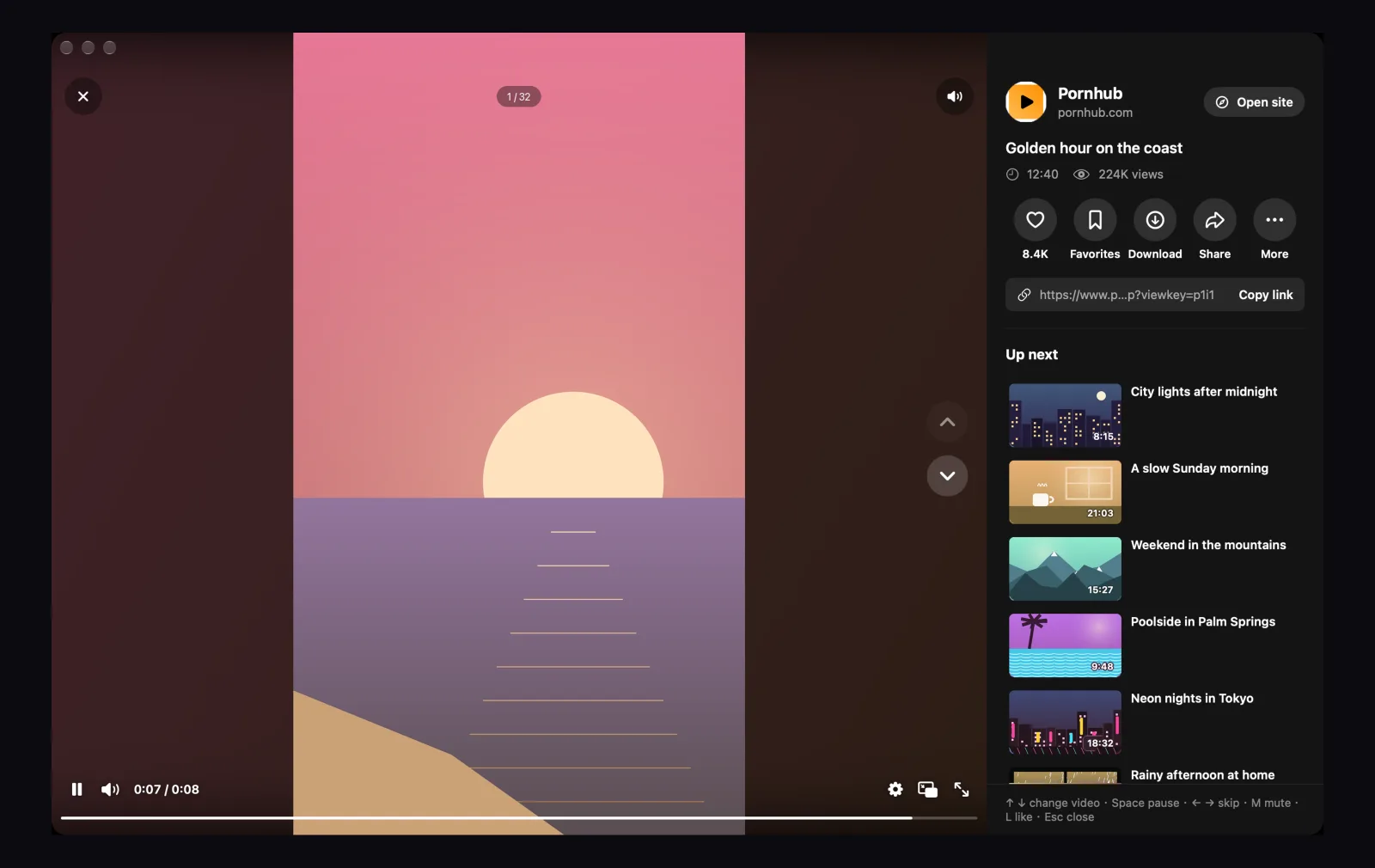
      • ↑ ↓ next video, Space pause, M mute
      • Quality up to 1080p, Picture in Picture and full screen
      KC Home: the video and live site circles, then the selected site's videos with search, sort and filtersThe KC player: the video, the site's counts, Download and Up next
    3. Save and watch offline

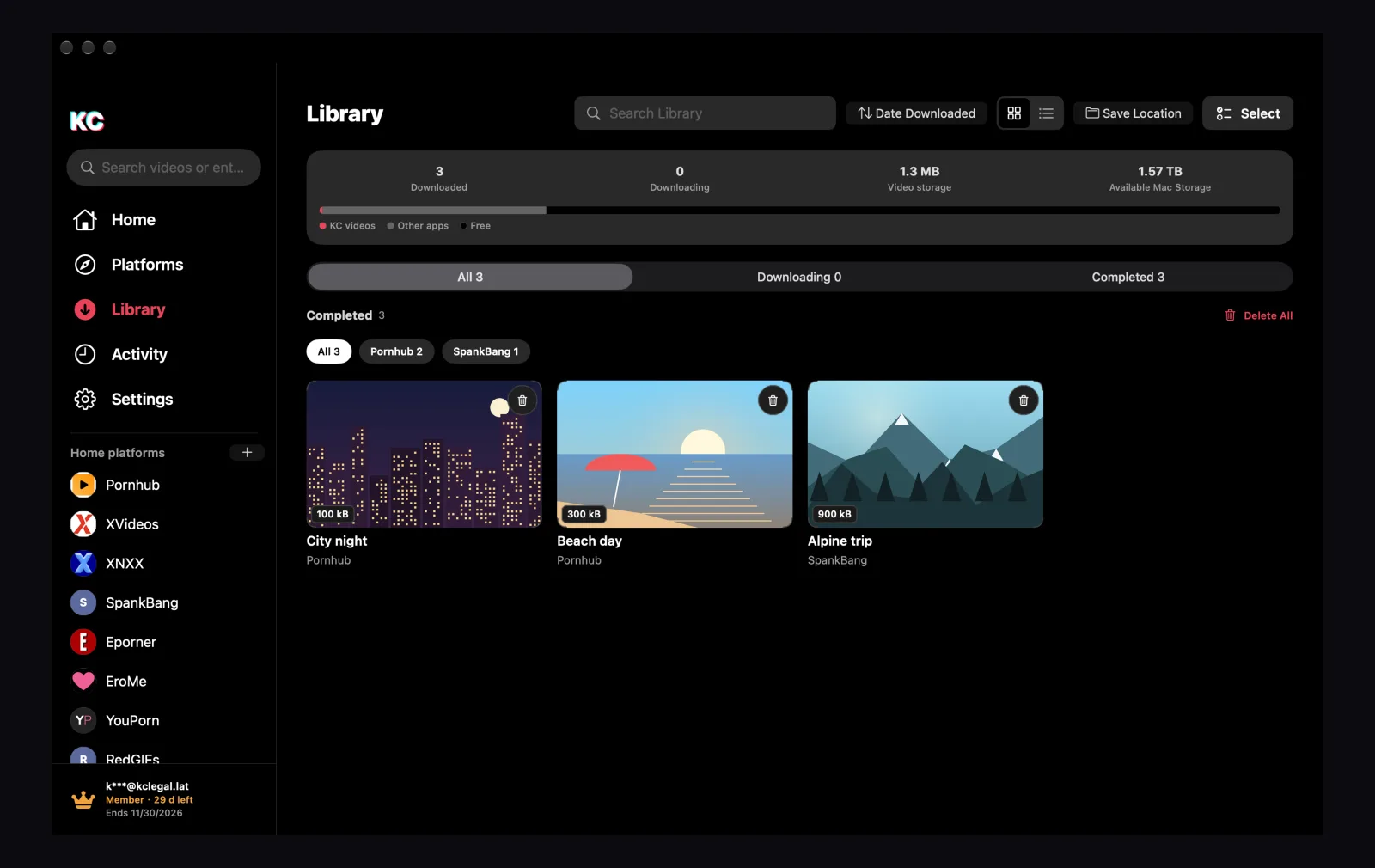
      Download the videos you may keep. They go to your KC video library or a folder you choose, and play without a connection.

      • Sorted and grouped like Finder, as icons or a list
      • Filter by site and see how much space videos use
      • Save to the KC library, Downloads or one folder per site
      The KC video library: storage summary, filters by site and saved sample videos

    Made for your Mac

    Everything in KC

    01

    All your sites in one app

    Home opens on For You: videos from the built-in sites KC can save, picked at random and played full screen one after another, as on TikTok. Browse has all 25 adult video and live-streaming sites: click one to see its latest videos, with the search, sorting and filters that site offers. Add websites of your own beside them.

    02

    A desktop player

    Press ↑ and ↓ for the next video, Space to pause and M to mute. Quality up to 1080p, playback speed and Picture in Picture, with the site's views and likes (when it shows them) and the next videos beside it.

    03

    A built-in browser

    Open public websites in up to 12 tabs and sign in as you would in Safari. KC lists the videos on the page so you can save the ones you may keep.

    04

    Your own video library

    Saved videos sorted and grouped like Finder, in a grid or a list. Search, filter by site, choose where videos are saved and delete them in one place.

    05

    Likes, favorites and history

    Keep what you like, save favorites and pick up where you left off in your watch history. All of it stays on your Mac.

    06

    Your privacy, protected

    Lock the app with Touch ID or your Mac login password and keep private videos hidden. Nothing you watch or save is uploaded.

    Download

    Get KC for Mac and iPhone

    Free to try: 24 hours without an account, or 7 days with a free KC account that downloads 5 videos a day. After that, a membership.

    KC for macOS

    Apple Silicon (M-series) · macOS 12 or later · DMG, Apple notarized

    1.0 Stable release

    KC for iPhone

    Web app in Safari · No App Store · Add it to your Home Screen

    Scan the code with the iPhone Camera
    QR code for voyagio.lat/install

    Free trial on Mac

    $0

    • 24 hours without an account: browse and watch
    • 7 days with a free KC account: 5 downloads a day
    • The daily count resets at 00:00 UTC
    • After the trial, KC needs a membership

    Member plan

    Unlimited downloads plan

    —Loading price

    —

    • Unlimited downloads for the membership term
    • The same account on the website and in KC
    • Renewed by hand on this site, never charged automatically
    Become a member →

    Memberships are renewed manually on this site. No automatic charges. Existing orders keep their original terms.

    No registration or purchase is needed for the installer. The version, installation steps and SHA-256 checksum are in the download center: Download details →

    Who is KC for?

    Adults 18 and over. KC opens the websites you choose; it does not host or sell videos. Websites keep their own terms, sign-in and age verification.

    Do I need an account?

    Not to start. On Mac, without an account you can install KC and browse and watch for 24 hours; sign in with a free KC account to download up to 5 videos a day (one video counts as one, reset at 00:00 UTC) and to use KC for 7 days from sign-up. After that, KC for Mac needs a membership, which also has no daily limit. On iPhone, the KC web app lets you browse and watch without an account; downloading needs a free KC account (5 videos a day) or a membership.

    Is KC free?

    KC for Mac is free to try. The installer is free, and you can use KC for 24 hours without an account, or for 7 days from sign-up with a free KC account, which also downloads 5 videos a day. After the trial, the Mac app needs a membership; memberships are renewed by hand, with no automatic charges. KC for iPhone (the web app) has no trial: browsing and watching stay free, and a free KC account downloads 5 videos a day.

    Which Macs can install KC?

    Apple Silicon (M-series) Macs with macOS 12 or later. The app and DMG are Developer ID signed and Apple notarized. Find the version, installation steps and SHA-256 checksum in the download center.

    Is there a KC for iPhone?

    Yes. KC for iPhone is a free web app that runs in Safari, so there is nothing to get from the App Store. Scan the code in the Download section or open voyagio.lat on your iPhone, then add it to your Home Screen. It uses the same KC account. Your Library and history stay on the phone; for some sites KC's server reads site lists and searches for you (not linked to your account), and Sync, off by default, copies likes, favorites and history to your account. See the privacy policy.

    Which sites are included?

    Video sites: Pornhub, XVideos, XNXX, SpankBang, Eporner, EroMe, YouPorn, RedGIFs, FapHouse, Beeg, RedTube, YouJizz, TNAFlix, Thumbzilla, EMPFlix and OnlyFans. Live-streaming sites: Chaturbate, Stripchat, xHamsterLive, LiveJasmin, CamSoda, CAM4, ImLive, Flirt4Free and Camster. All of them stay on your home page, except OnlyFans, which opens from the Platforms page. You can add up to 100 public websites of your own, and each row on Home shows up to ten of them.
    Can I arrange the sites on my home page?

    Yes. Drag a site's circle to change the order, and click a row's title to fold or unfold the row. The built-in sites always stay on Home, each in its own row. Websites you add can be removed from Home or moved to the other row: right-click one, or point at it in the sidebar and click the minus button. Put it back, or delete it, under + → Removed platforms.

    Where are videos saved?

    In KC's video library on your Mac, or as MP4 files in Downloads/KC-X or a folder you choose (Save Location in the video library, or Settings). Nothing is uploaded. See the privacy policy for the data needed by accounts and payments.

    How do I update KC?

    KC checks for new versions itself; you can also choose Check for Updates in the KC menu. It downloads and checks the new version, then opens it so you can drag KC into Applications. Your videos and settings stay.

    Which languages does KC use?

    The app is available in English, Simplified Chinese, French, Russian, Spanish and Arabic, and so is this website: choose a language at the top of the page.

    How do I renew a membership?

    Memberships are bought on the download page and renewed manually. There are no automatic charges, and existing orders keep their original terms.

    Is KC the same app as KC-X?

    Yes. KC-X was renamed KC in October 2026. It is the same app from the same website, and your KC account and membership stay as they are.